

The upcoming release of macOS 27
OS - macOS 27 Golden Gate
macOS Golden successor to macOS Tahoe was announces on June 8 2026, at WWDC 2026. The new macOS Golden will be released in the late 2026 with its first version will be released and run exclusively on Macs with Apple silicon and the last version with full Rosetta 2 functionality
Explore what is new in the macOS 27
Siri AI on Mac
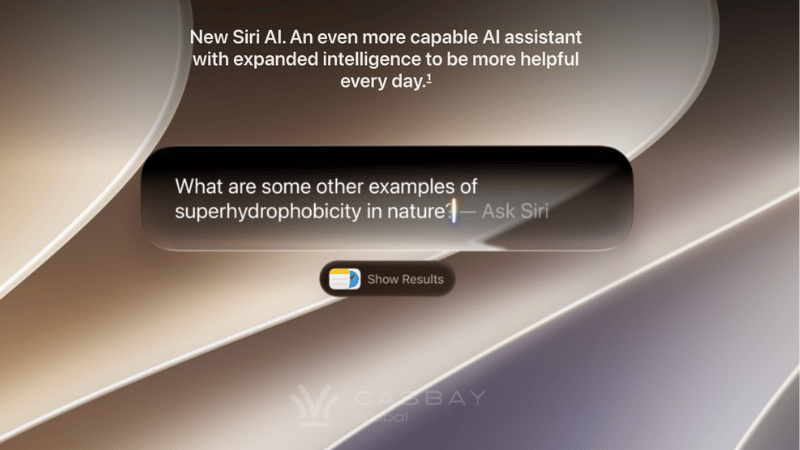
Siri AI powered by Apple Intelligence is your conversational AI assistant works like how any AI , chat tools like Claude or ChatGPT. You can now ask open ended questions, idea brainstorming for work or project, back and forth conversations. And when you search in Spotlight, you can choose “Ask Siri” as the top hit.
Siri AI now knows your personal context, so it knows more about you and can complete complex tasks. Finding relevant answers to what you’re looking for just by asking to search photo from years ago, to locating an email buried in your inbox or pull up a Messages, Notes, Reminders, Calendar and other apps from your Mac to find things for you.
Siri Broad World Knowledge
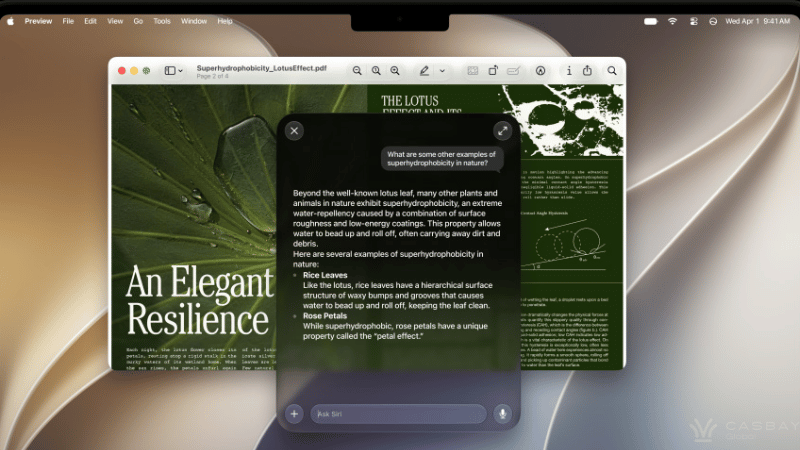
Siri can search online to give you a detailed and up-to-date information to answer questions. Siri can do research for a project, analyze documents and get information from the web for additional context, prepare for an interview, do a party prep, gardening tips, or assist with DIY projects.
Siri Onscreen Awareness
Siri can look at your current screen and take action based on it, by looking at it, read text, and analyze images. The onscreen awareness and personal context capabilities allowing it to recognize where a photo’s taken similar to Google photos or answer questions about an image on your screen.
Siri Take Action in Apps
Siri AI can take action like drafting and sending emails, adding or creating new events to Calendar, taking selfie, adding Photos to an album, quickly edit a message you just sent or add a song from a show you’re watching to your workout playlist. For example, if a friend texts you an address in Messages, you can say, “Add this to their contact card,” and Siri will extract the address and save it. You can give complex commands for a deep In-app editing like, “Show me the photos from last night, apply a dramatic filter to the third one, and text it to Maya”. Siri will execute the photo edit and transfer the file automatically.
Introducing Siri App
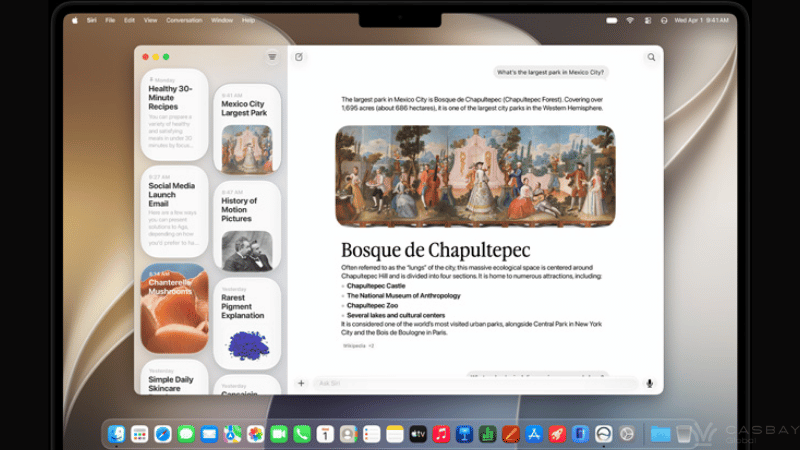
A dedicated app brings together all your conversations in one place, where you can talk to Siri, revisit existing conversations, and see a history of your chats. So you can ask a question on your Mac and pick up where you left off on your iPhone. You can also pin conversations for easy access or start a new one. On the Mac Siri lives in Spotlight. (Command + Space) shortcut launches the Siri Search or Ask. You can type to Siri from Search or Ask, and you’ll see a new Siri animation while Siri thinks. Concise Siri responses show up in Spotlight, and you can click for more information or to ask a follow-up question. Files and photos can be uploaded by clicking on the “+” button. On Macs with an M3 chip or newer, you can customize how Siri sounds, with customised expressivity and pace. Newer Macs also support improved dictation capabilities with special on-device AI models.
Siri Visual Intelligence
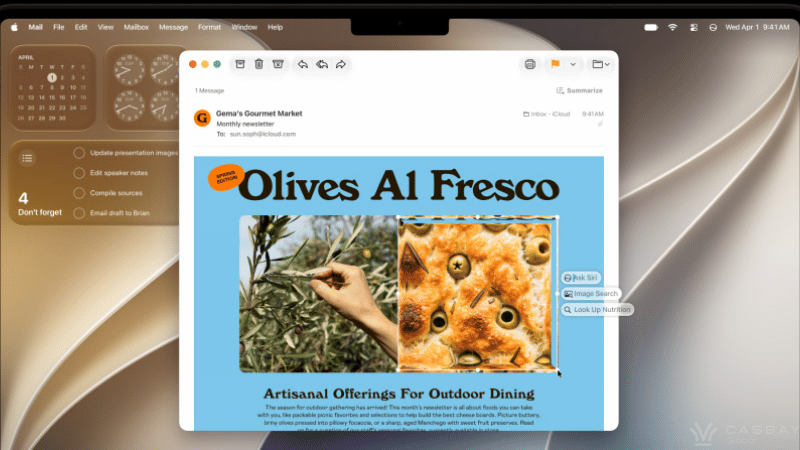
Ask Siri AI virtually about anything on your screen. You can get to it with a new (Command + Shift + Space) keyboard command, just take a screenshot of the select area of your display like an image or a PDF, to get answers, search or take action.
Write with Siri virtually anywhere
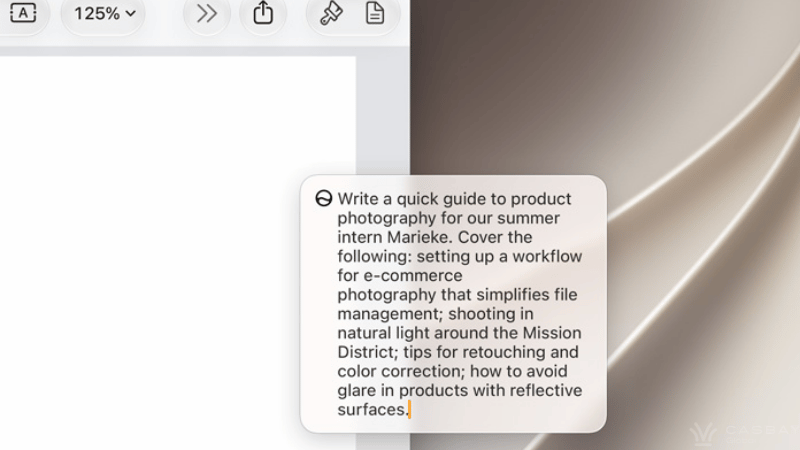
A Write with Siri feature lets Siri AI can now generate text from scratch, provide feedback on your writing or correcting your grammar. Siri AI can even write in your own style, punctuation and tone when composing email and text messages just describe what you need in your own words, so you sound like you.
Safari works smarter for you.
Safari tabs can now be grouped into topics automatically. Organizing your tabs, bookmarks and Reading List by topic so related pages are easier to find on your Mac. And Safari Notify Me monitors pages for changes with Notify Me. For example, a price change or restock — and alerts you when it’s time to act.
Fix passwords with a click
The Passwords app uses AI alert you on weak or compromised passwords, and can be updated to stronger passwords on your behalf without hassle. When saving files or folders, Apple Intelligence will suggest names based on content.
Next level intelligent photo editing
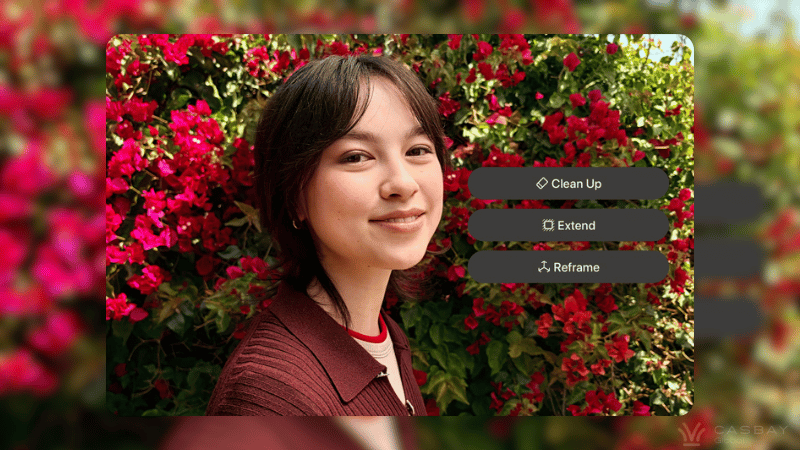
There is AI photo editing tools capabilities for modifying photos in the Photos app. With Clean Up, you may more easily remove items and fill in gaps in images. Other features include Reframe and Extend.
With Extend, you may crop an image and use AI to create additional fill, and with Reframe, you can alter a photo’s perspective or composition by combining AI with spatial imagery.
You can play any group of photos or videos as a slideshow now, and you can save a photo straight from a video frame too. Apple’s also added a “Captured by Me” collection in the Photos app. There’s a new Selection View that lets you review and edit metadata like location across multiple images at once, plus support for keywords and star ratings.
Notes got some upgrades too, more formatting styles, and you can use the trackpad to add handwritten sketches or notes. You can also copy and paste in Markdown now, and there’s divider lines if you want your notes to look a bit more organized. Besides, the Section Links let you jump straight to a specific part of a note.
iCloud Shared Albums now support full resolution sharing, and even friends on Android or Windows can now add photos to your iCloud albums. There’s also a new 30-day expiration option if you don’t want albums sticking around forever, plus a setting to sync content to iCloud right away for faster uploads.
Express more with Image Playground.
Image Playground got a major upgrade. It can now create high quality, unique images in pretty much any style including photorealistic and you can create images of people, not just cartoony avatars. Want small changes? Just describe them, or tweak things directly with touch gestures. Genmoji also got an update, so it’s faster now and the quality is better too.
One thing worth knowing, image generation and other resource-heavy AI features come with daily usage caps, though you’ll get more access if you’re on a paid iCloud+ plan. Everything else on the AI side stays free.
Describe a shortcut
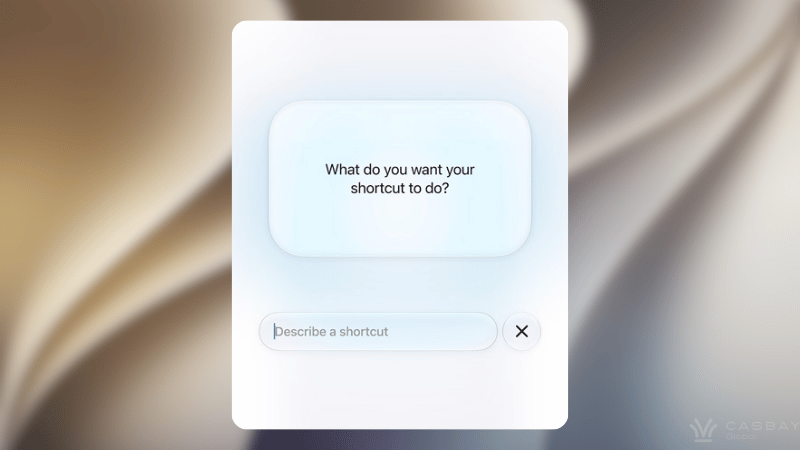
The Shortcuts app can now Automate daily tasks with a simple description. Just describe what you need and Shortcuts connects actions across multiple apps to get it done based on a natural language request. Calendar and Reminders also support natural language now, so you can add or modify events and tasks just by describing them. Maps got an upgrade too, using aerial imagery and Vision Intelligence models to make Flyover sharper and more lifelike. And the Journal app now supports generative writing prompts if you’re ever short on inspiration.
Over in the Home app, HomeKit Secure Video supports 4K streaming now, and it uses AI to summarize activity from your video footage. Notifications get aggregated instead of piling up separately, and it can stitch together footage from multiple cameras to give you a full picture of what’s happening. You can also search for specific moments instead of scrubbing through everything manually.
Parental Controls
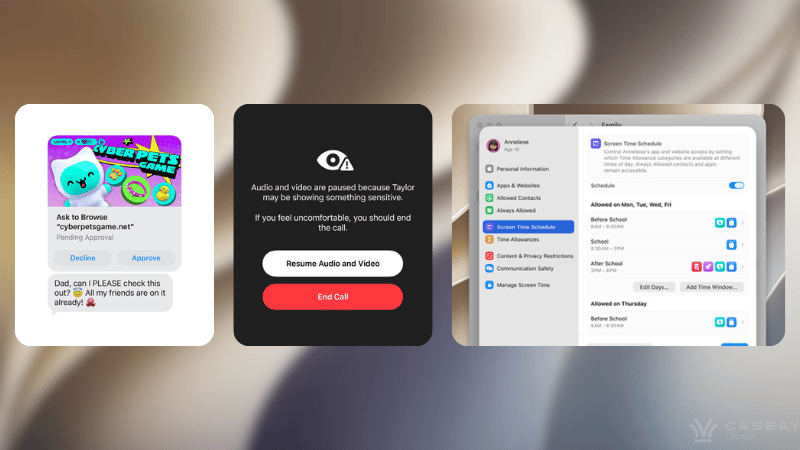
New child Safety helps protect children from viewing or sharing nudity in Messages, FaceTime and more. It now also intervenes before children see gore or violence in shared images and videos.
Auto-generated message to parent about the sensitive and unsafe content their child may be viewing on a FaceTime call, with options to Resume Audio and Video or End Call
Apple’s macOS Golden Gate rolling out new child safety features protecting children from viewing or sharing nudity across apps. Screentime has been redesigned too, parents have a clearer view of the apps and websites their kids are viewing. There are also tools for managing who kids can communicate with across Messages, FaceTime, and Phone, and parents can turn on a setting that requires approval before their child connects with a new contact.
Time allowance let parents set limits on how long kids can use certain app categories like Games, Entertainment or Social Media with customizable schedules based on the time and day.
Ask to Buy and Ask to Browse mean kids need parental permission for every app download and new website they visit in Safari. Parents can also manage contacts and require approval before their kid can reach out to someone new. Communication Safety now blocks gore and violence in addition to nudity, across Messages and FaceTime.
Refined Liquid Glass Design
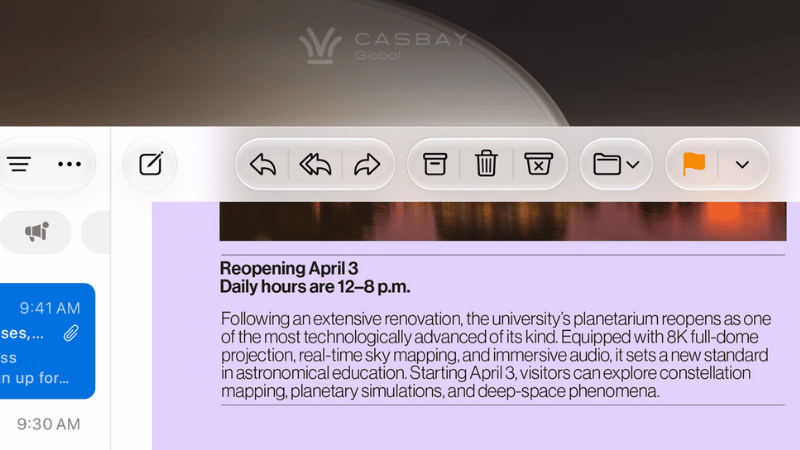
The Golden Gate takes the Liquid Glass design Apple introduced last year and polishes it.
- Adjustable transparency: A new liquid glass slider in System Setting. You can choose between maximum translucency and a coloured, more opaque version with the Liquid Glass slider that controls the transparency. Apple changed the opacity of Liquid Glass to better distribute complicated content.
- Smarter diffusion: The glass element now blurs busy backgrounds more effectively, with darker edges and brighter highlights that add real depth to the interface.
- Calmer corners: MacOS Tahoe’s exaggerated rounded corners are no more. Every window now features a more subdued corner radius.
- Uniform toolbar: edge-to-edge sidebars and updated window shapes and menu bar icons deliver a more refined design and icons are now colored again after going monochrome in Tahoe. App icons have been updated with more Liquid Glass layers to improve detail and sharpness. Apple is also using HDR for depth and dimension in the macOS Golden Gate interface.
- Golden Gate wallpaper: The whole interface leans on HDR for extra depth, and two new Golden Gate themed wallpapers (Sunset and Night) animate when you unlock your Mac.
You can also tell at a glance which window is active, thanks to re-designing of the sidebar and an updated window shadows. Files and folders now get AI-suggested names based on their content when you save them.
Faster Airdrop Performance
AirDrop is faster than before, and so is network file browsing for services like Windows shares and NAS devices. Images now upload quicker to iCloud Photos when prioritized syncing is enabled on an iPhone. iPhone apps in iPhone Mirroring can now be resized to appear larger, and there’s expanded touch support when using Sidecar to turn an iPad into a Mac display.
More relevant search in Mail
macOS Golden Gate Mail app has a new ranking system which brings the most relevant result to the top so that you can find it right away even it’s buried in your inbox instead of showing results based on keywords and recency. Smart replied on your mac are now tuned to match your writing style, so the suggestions sound more like how you would type it.
A more simpler shortcut, email that has a flight time or restaurant reservation, there’s now a button to add it straight to Calendar. Emails with directions may let you preview the route in Maps.
No Intel Mac Support
macOS Tahoe will be the last version of macOS to support Intel-based Macs machines with Intel chips won’t be able to upgrade to macOS Golden Gate. Apple is also starting to phase out Rosetta 2 support, and Golden Gate will be the last version of macOS to fully support it.
For context, Rosetta 2 is what lets Macs with Apple silicon (Arm-based chips) run apps built for Intel processors (x86 architecture), by translating the code on the fly.
Compatibility
macOS Golden Gate will run on Macs that have an Apple silicon chip, which includes the M1 and later.
- MacBook Neo (2026)
- MacBook Air with Apple silicon (2020 and later)
- MacBook Pro with Apple silicon (2020 and later)
- iMac with Apple silicon (2021 and later)
- Mac mini with Apple silicon (2020 and later)
- Mac Studio (2022 and later)
- Mac Pro with Apple silicon (2023)
Release Date
Apple previewed new versions of iOS, macOS, and its other software platforms back at WWDC in June. Developers and public beta testers can already get their hands on the macOS Golden Gate beta and try out all the new features, and it’s set to launch publicly in September.
Casbay's rent a mac in Malaysia
Mac mini M6 is the newer of the two, and the obvious pick if you’re planning to lean into WWDC 2026’s agentic Xcode tools or run on-device Foundation Model inference alongside your builds. With a 12-core CPU, 12-core GPU, and dual 16-core Neural Engine, it’s built for exactly the kind of sustained, AI-assisted CI/CD load Apple just previewed.
Mac mini M4 remains a proven, cost-effective option if your priority is straightforward Xcode builds, iOS testing, or remote macOS access without the newest silicon’s premium.
Both ship as dedicated hardware not a shared or virtualized instance hosted in our Malaysia data centre, with a static IP included as standard on every plan, so your CI runners and firewall rules stay put no matter how many builds you run.
Casbay rent a Mac mini plans are built for real, bare metal Apple Silicon, reserved to one customer, with nothing virtualised in between your Xcode agent and the hardware.
Reserve a Mac mini M6 → View Mac mini M4 plans →