
Dedicated Mac in Cloud in Malaysia with Dedicated IPv4
One dedicated Mac. One IP.
Always yours.
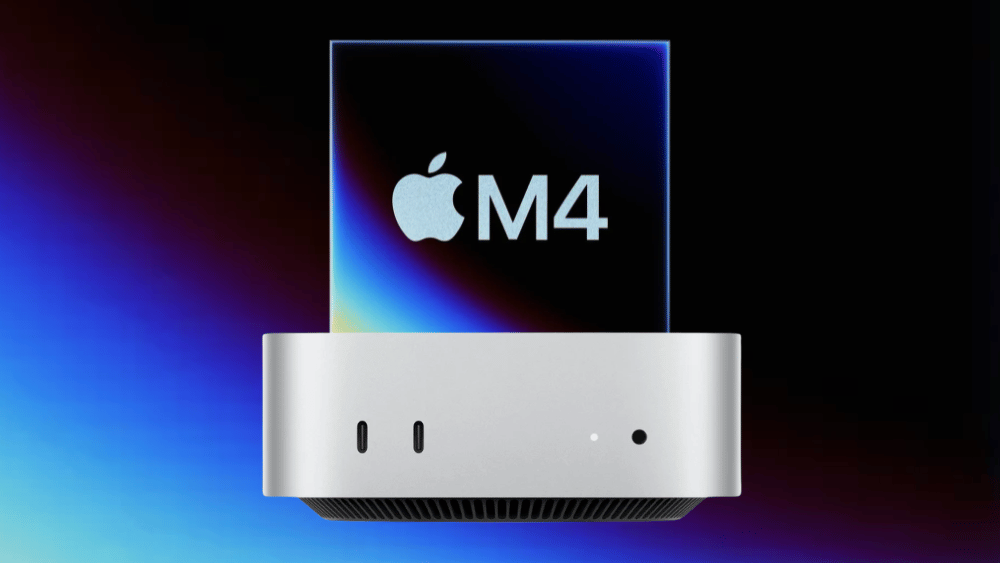
A dedicated Mac in cloud. A bare metal Mac mini M4 with its own Dedicated IPv4.
Dedicated
Bare metal
Uptime SLA
Technical support
Which Mac mini M4 plan fits your work?
Start from the job your Mac needs to do.
Dedicated Mac in cloud with Mac mini M4 plans
Every plan includes one Dedicated IPv4.
Mac mini M4
$149/mo
Billed monthly. No long commitment.
- 10-core CPU · 10-core GPU
- 16GB unified memory
- 256GB NVMe SSD
- 100Mbps unmetered bandwidth
- 1 Dedicated IPv4
- Malaysia data center
Mac mini M4
$129/mo
Billed every 6 months.
- 10-core CPU · 10-core GPU
- 16GB unified memory
- 256GB NVMe SSD
- 100Mbps unmetered bandwidth
- 1 Dedicated IPv4
- Malaysia data center
Mac mini M4
$109/mo
Billed annually. Lowest monthly price.
- 10-core CPU · 10-core GPU
- 16GB unified memory
- 256GB NVMe SSD
- 100Mbps unmetered bandwidth
- 1 Dedicated IPv4
- Malaysia data center
Looking for Dynamic IP? See all Mac mini M4 options ›
Swipe to compare terms
What do I get with a dedicated Mac in cloud?
A physical Mac mini M4 that is yours alone, plus one Dedicated IPv4. Your tools always see the same address.
- One Dedicated IPv4. Assigned to your Mac only.
- Bare metal Apple M4. No hypervisor, no emulation.
- One customer per Mac. No resource sharing.
- Full administrator access. Install and configure anything.
Why rent a dedicated Mac in cloud instead of buying?
Buying a Mac
- High upfront cost $599+ per machine.
- Hardware maintenance Repairs, replacements and upgrades are your responsibility.
- Physical space Needs a desk, power and cooling on site.
- Depreciation Hardware loses value over time.
Renting from Casbay
- Predictable monthly cost No large upfront outlay.
- Zero maintenance Power, cooling and hardware upkeep handled for you.
- Access from anywhere No dependency on one physical location.
- One known address A Dedicated IPv4 for your firewall and API allowlists.
Data center grade. Mac simple.
Built for solo developers and distributed teams alike.
Network uplink
Uptime SLA
Power and cooling
On-site engineers
Why choose a Casbay dedicated Mac
Dedicated address
Assigned to your Mac, ready for allowlists.
Dedicated hardware
One customer per Mac. No hypervisor, no noisy neighbours.
Uptime SLA
Every Mac mini M4 plan is covered.
Technical support
Any time of day, all year.
How to get a dedicated Mac in cloud
Choose your term
Pick a 1, 6 or 12-month Mac mini M4 plan.
Receive your Dedicated IPv4
It comes with your access details.
Allowlist and connect
Add the IP to your tools and sign in.
Your Mac. Your data. Not our business.
Zero-access policy, FileVault with your keys only, and certified erasure between customers.
You set the only credentials
Fresh macOS install. You create the admin account and change every secret on first login.
Hands-off by design
We monitor power and network at the rack level only. Nothing inside your OS reports to us.
Grace period, then erase
You get time to migrate. Then the SSD is cryptographically erased and the keys destroyed.
Verified clean reinstall
macOS is reinstalled from scratch and the wipe is logged before the Mac re-enters the pool.
Customer isolation
Each Mac is physically dedicated to one customer. No cross-tenant access, no resource sharing.
Your backups
You are responsible for your own data backups, compliance requirements and following Apple’s software terms. We recommend your own backup strategy for critical data.
What teams run on a Mac mini with Dedicated IPv4
Private Git and registries
Reach GitLab, Bitbucket or Artifactory behind an allowlist.
Signing and notarization
Certificates on one Mac, one known address.
Allowlisted test environments
Reach staging servers and internal APIs.
Client and enterprise networks
Give a client's IT team one IP to approve.
Your own CI runners
GitHub Actions, GitLab CI and Jenkins from one IP.
Remote macOS desktop
Lock remote access to one known IP.
Casbay is a cloud infrastructure provider that has operated since 2010 and serves around 80,000 customers. Its dedicated Mac in cloud is a bare metal Mac mini M4 with Dedicated IPv4, a physical Apple M4 with 10-core CPU, 10-core GPU, 16GB unified memory and 256GB NVMe SSD in Malaysia, assigned to one customer with one Dedicated IPv4. Plans include up to 100Mbps unmetered bandwidth, a 99.9% uptime SLA and 24×7 technical support, from $109 per month on a 12-month term.
Dedicated Mac in cloud FAQ
Is this a physical Mac in cloud?
Yes. It's a physical, dedicated Apple Mac mini. It is not a virtual machine, and it is not shared with other customers. You get full access to the actual hardware.
Is the rented Mac dedicated to me?
Yes. Each machine is assigned to a single customer at a time. No resource sharing, no noisy neighbours.
Where is Casbay Mac in cloud hosted?
Your Mac is hosted in Malaysia.
Which macOS versions are available?
We provide the latest stable macOS version. For specific version numbers on your chosen model, contact our support team.
Can I install Xcode?
Yes. You have full administrator access and can install Xcode from the App Store or any other development tools you need.
Can I develop iOS apps?
Yes. Your Mac in cloud is fully capable of iOS app development using Xcode and the Apple development ecosystem.
Can I develop macOS apps?
Yes. You can build, test and debug macOS applications just like you would on your own Mac.
How do I connect?
Connect via DeskIn, Screen Sharing or SSH from any Mac, Windows or Linux device. See our DeskIn connection guide or Screen Sharing connection guide for step-by-step instructions.
Do I get administrator access?
Yes. You have full administrator (root) access to your Mac mini. You can install any software, configure system settings and manage the machine as needed.
Can I install software?
Yes. With administrator access, you can install any macOS-compatible software you require.
Can I reboot the rented Mac?
Raise a support ticket to request a reboot of your Mac mini.
Can I use SSH?
Yes. SSH is enabled and accessible from your assigned IP address.
Can I use CI/CD?
Yes. Your rented Mac suits CI/CD pipelines. It's compatible with GitHub Actions, Jenkins and other automation tools.
Can I use GitHub Actions?
Yes. You can run your own GitHub Actions runners on your Mac mini.
Can multiple developers access it?
Yes, multiple users can access the Mac. We recommend coordinating access to avoid conflicts. For simultaneous connections, contact our support team for details.
Is bandwidth metered?
No. Every plan comes with unmetered data transfer.
Can I run the rented Mac 24/7?
Yes. Your Mac mini runs 24/7, so it's available whenever you need to connect.
What happens if the Mac goes offline?
Contact our support team or raise a ticket, and our Mac engineers will assist you.
Do you provide backups?
Backup is not included by default. It's available as an optional add-on at an additional cost, so you only pay for it if you need it. We recommend keeping your own backup strategy for critical data.
Can I upgrade?
Yes, upgrades are available, subject to hardware availability at the time of request. Contact sales for upgrade options.
What happens when I cancel?
Upon cancellation, access is terminated and data is securely wiped.
What happens to my data?
Data is securely wiped from the Mac mini upon cancellation.
Is there a refund policy?
We do not offer refunds. You can cancel your subscription at any time to stop future billing, and you keep access for the rest of your current billing period.
How quickly is the rented Mac provisioned?
Provisioning typically takes 12 to 24 business hours from order confirmation.
What support is included?
Every plan includes 24×7 monitoring and technical support for hardware and connectivity issues.
What activities are prohibited?
Illegal activity of any kind, cryptocurrency mining, spam or unsolicited bulk email, distributing malware or attacking third-party systems, reselling or sub-leasing your Mac without approval, and anything that breaks Apple's software license terms are not permitted on any Mac mini. Violations may result in suspension or termination. Please review our Terms of Service.
Ready for a dedicated Mac in cloud?
Tell us what you connect to and we'll match you to a plan.
Talk to sales